


We love to hear what you think about each and every class! To let us know what you thought you can add a comment to a class through our custom app (available in the Android and Apple stores) or through our website (this feature is not currently available through our ROKU channel).
Making a Comment on a Webpage using your PC or Mac Computer
- Select the Class you’d like to make the comment on
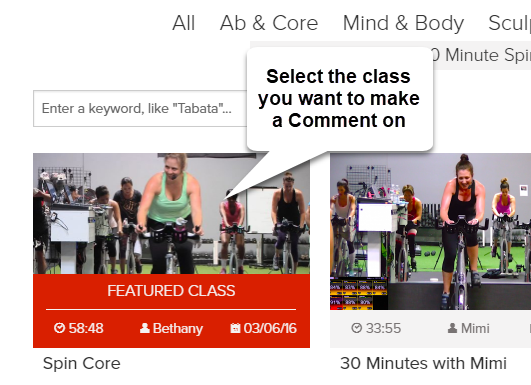
2. With the class open scroll down to where you can see the Comment box and add a comment
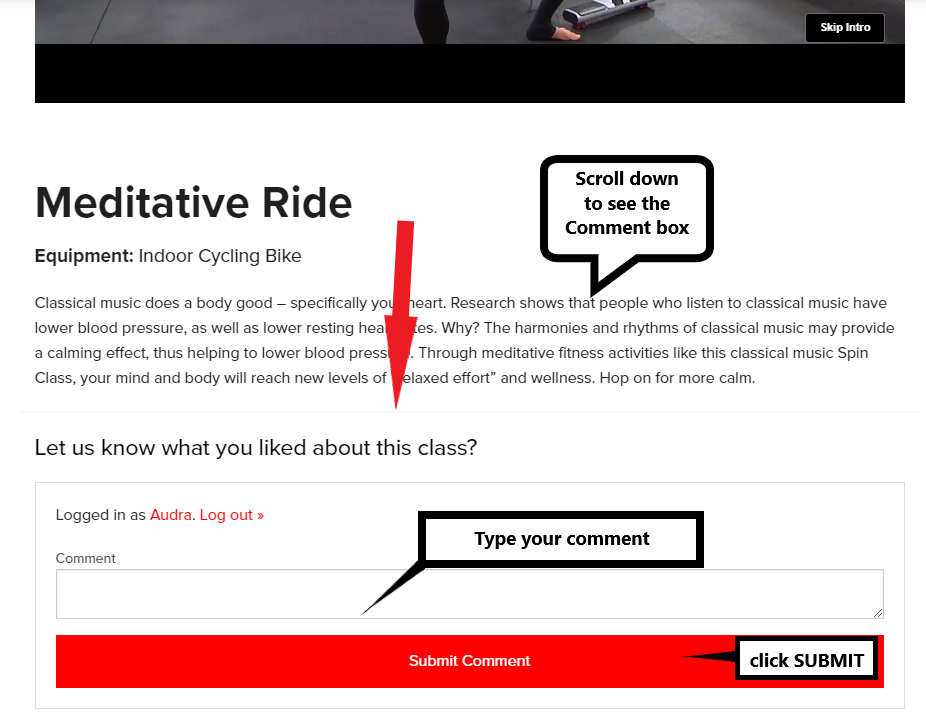
3. Click SUBMIT
Making a Comment in the App
- Select the Class you’d like to make the comment on
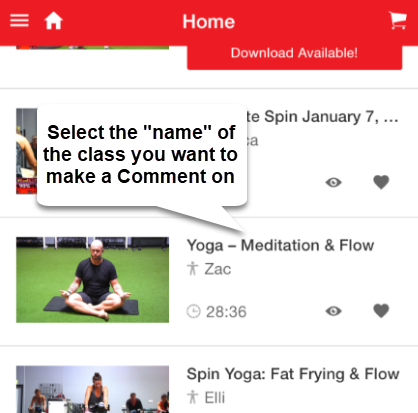
2. With the class open move down to where you can see the Comment box and add a comment
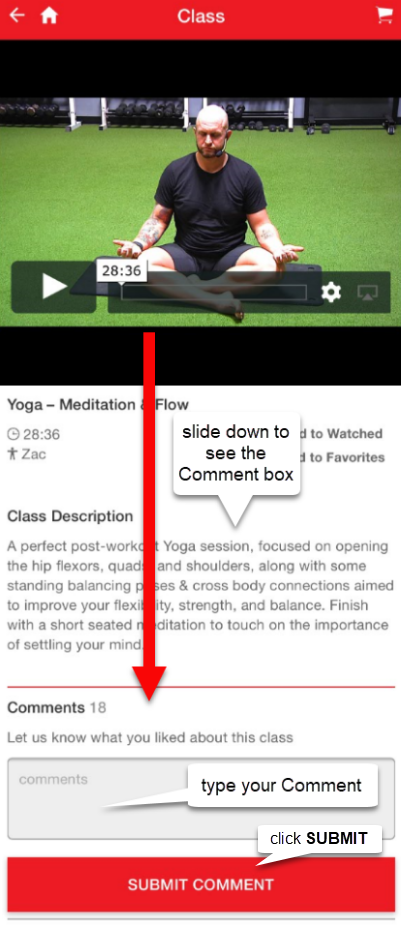
3. Click SUBMIT
Posted in: Technical


